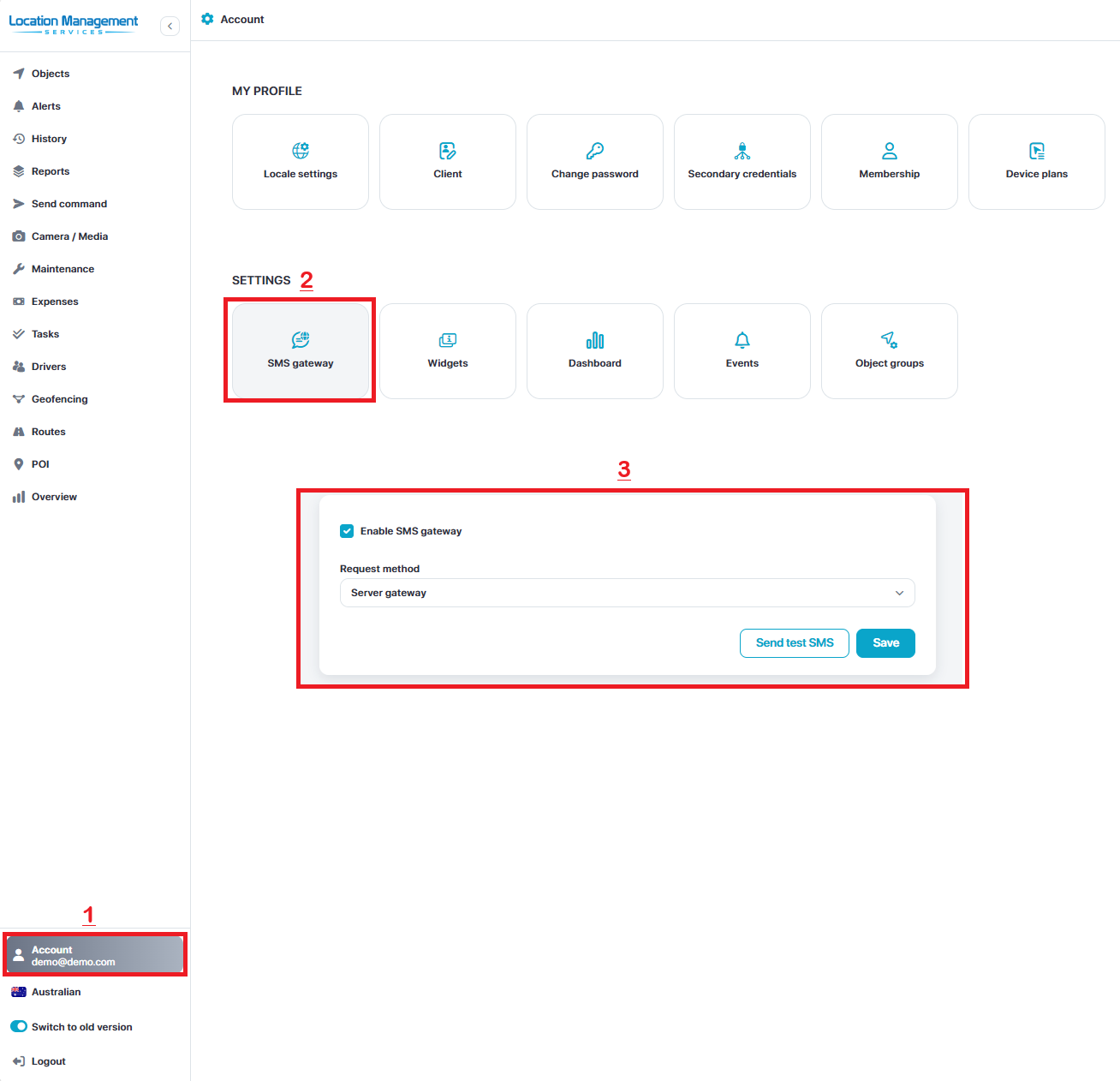
Confirm SMS Gateway is enabled
Select your user account on the bottom left
Select SMS Gateway
Click enable Gateway
Request Method = Server gateway
Click Save
The commands function is how you can enable / disable vehicle start isolations and also request photos from dual cam and DSM devices.
Send Commands
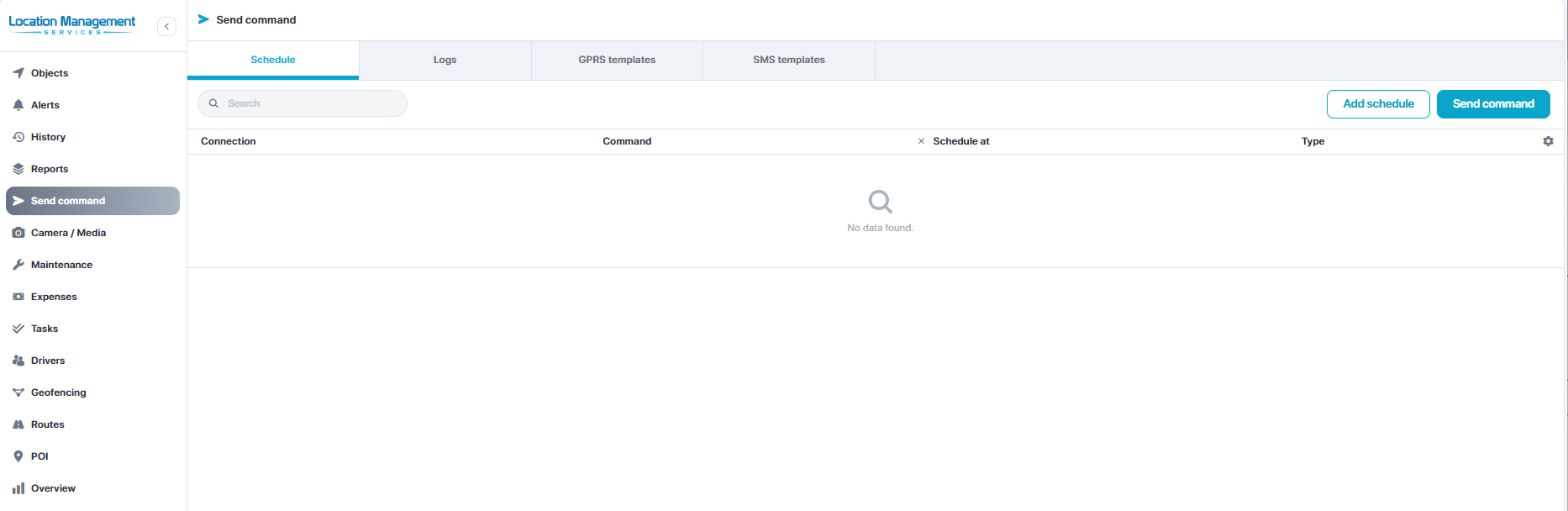
Access Commands
Select Send Command tab in the left hand side menu
Select the tabs across the top to access different pages
Select the Send Command button in the top right to send a new command.
Create New Template
Select the GPRS or SMS template tab in the top row
Select Add New (+) in the top right
Fill out template
Title = Name
Adapted = Protocol
Protocol = 6027 / teltonika
Massage = Command
Click Save
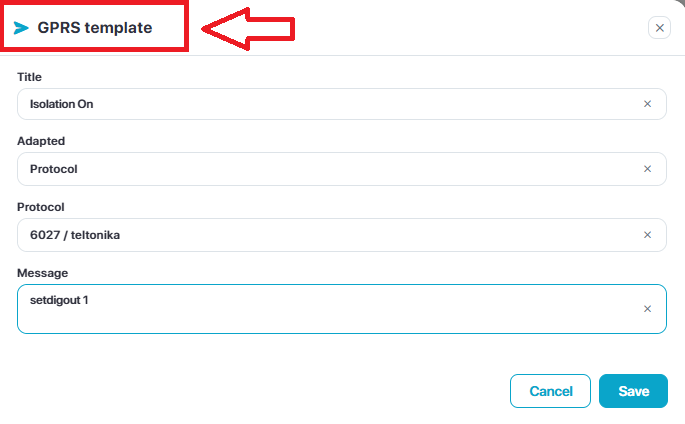
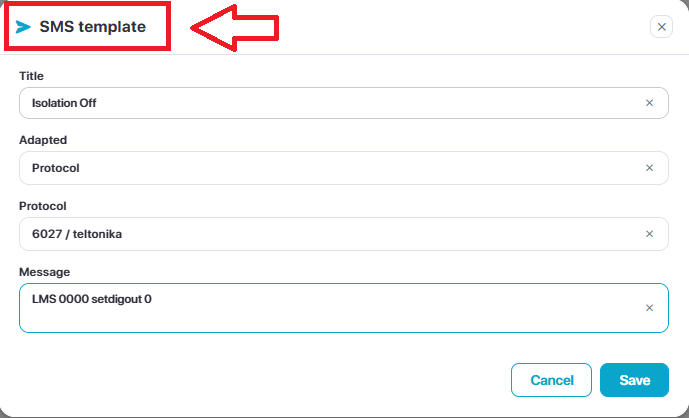
Setup - Remote Start Isolation Templates
The LMS team may have already configured the template(s) for you and these will show up under the templates page.
If no templates are setup…
The standard wiring procedure utilizes digital output 1, but please confirm with your installer.
NOTE: You will also need to notify the LMS support team that you wish to utilize the SMS gateway isolation commands as a custom config is required, this is NOT required if using GPRS Commands.
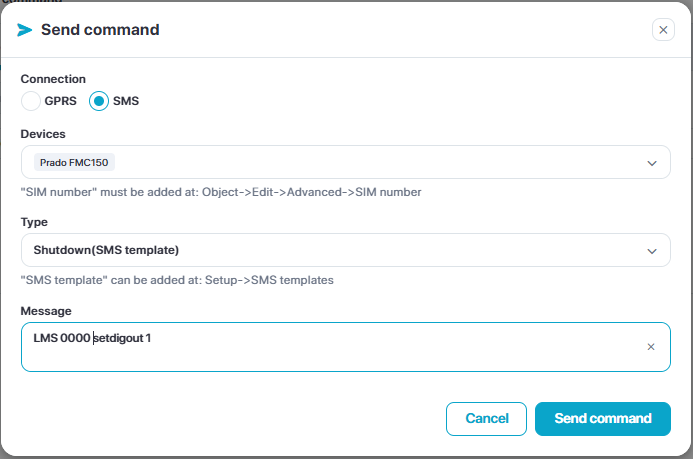
Default SMS Command structure:
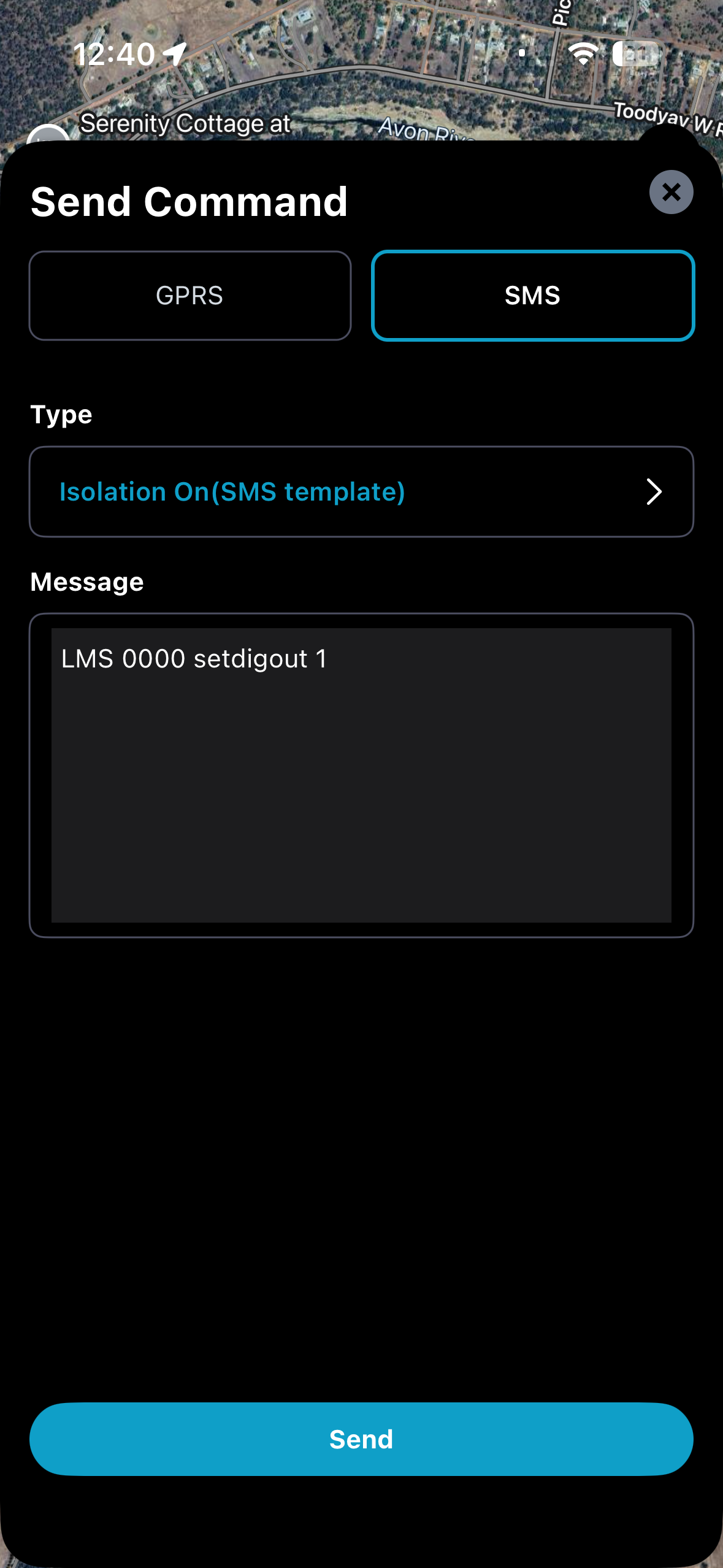
Activate isolation: LMS 0000 setdigout 1
Deactivate Isolation: LMS 0000 setdigout 0
Structure: LMS <space>0000<space>setdigout<space>1
The “LMS 0000” may change in your specific configuration, please confirm with the LMS support team if required.
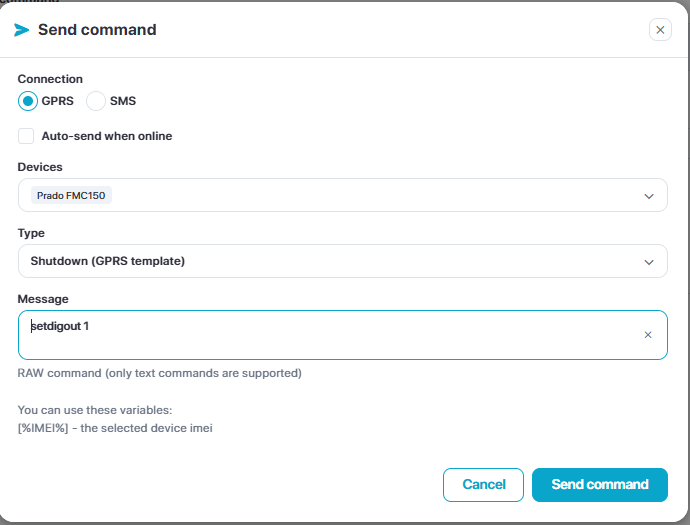
Default GPRS Command structure:
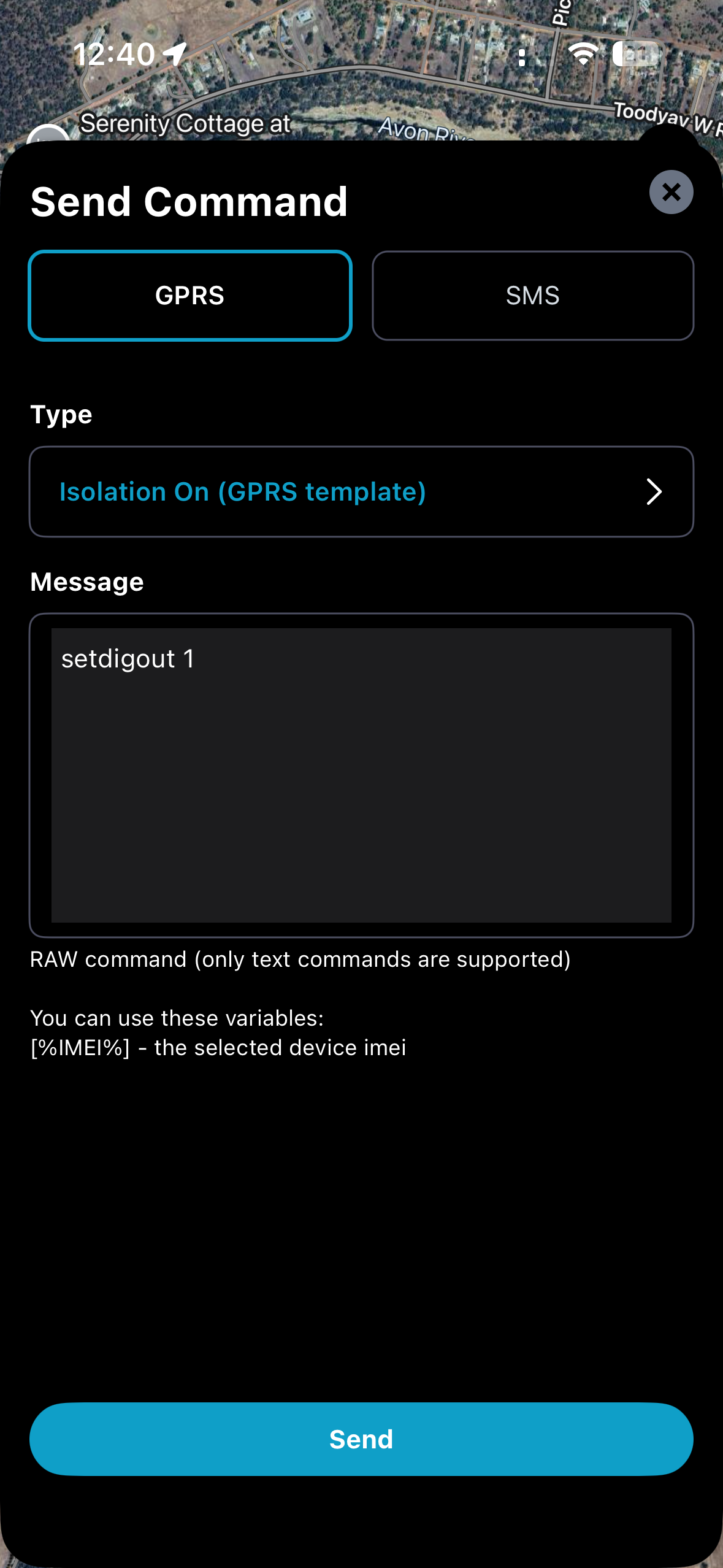
Activate isolation: setdigout 1
Deactivate Isolation: setdigout 0
Structure: setdigout<space>1
Note: If using a different digital output control wire, you will need to adjust the spaces after setdigout:
Examples.
Digital output 1: setdigout<space>1
Digital output 2: setdigout<space><space>1
Digital output 3: setdigout<space><space><space>1
Digital output 4: setdigout<space><space><space><space>1
Sending Commands - (Platform)
Select Schedule tab
Send command - top right
Select GPRS or SMS
Choose a device - The device has to be online
Select the command template
Click Send Command
Sending Commands - (Mobile APP)
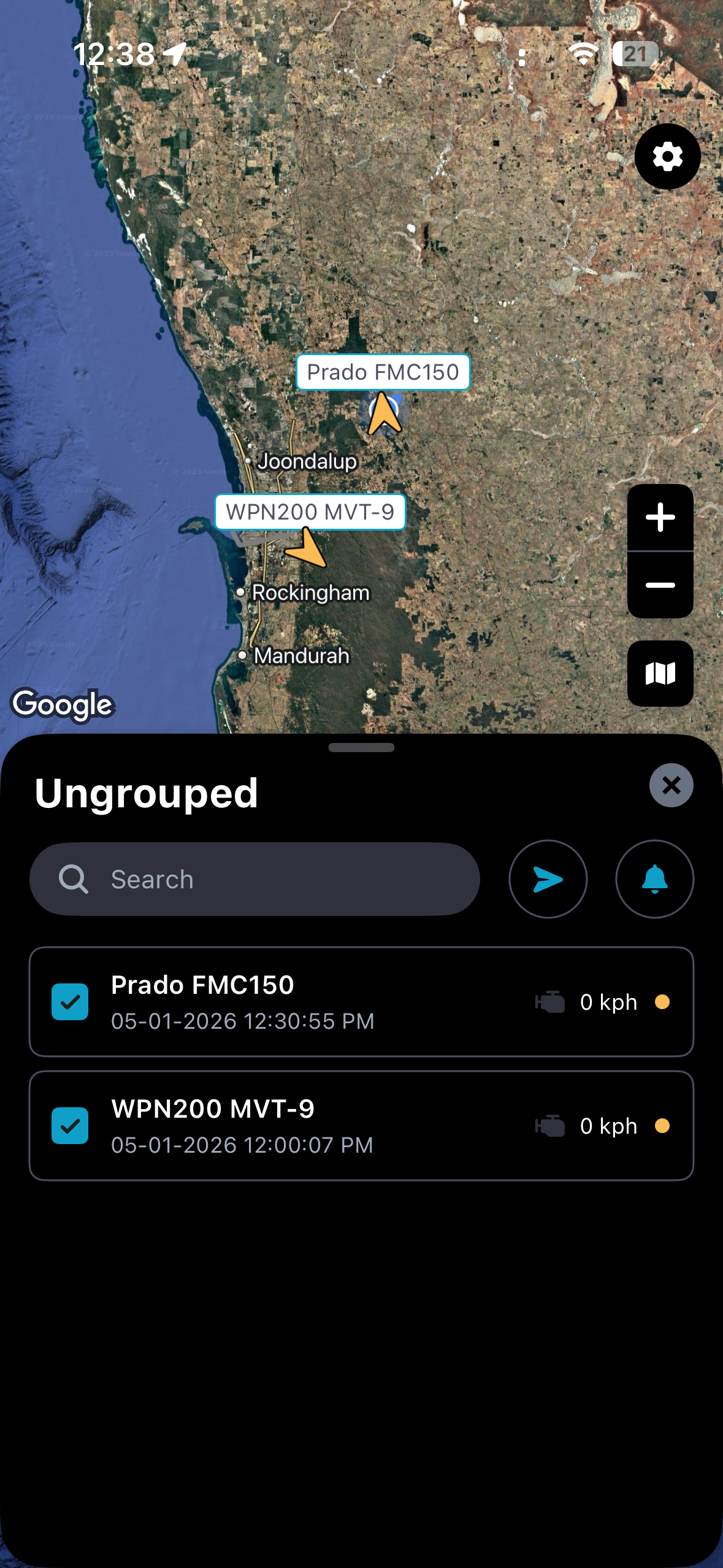
Open the app / login
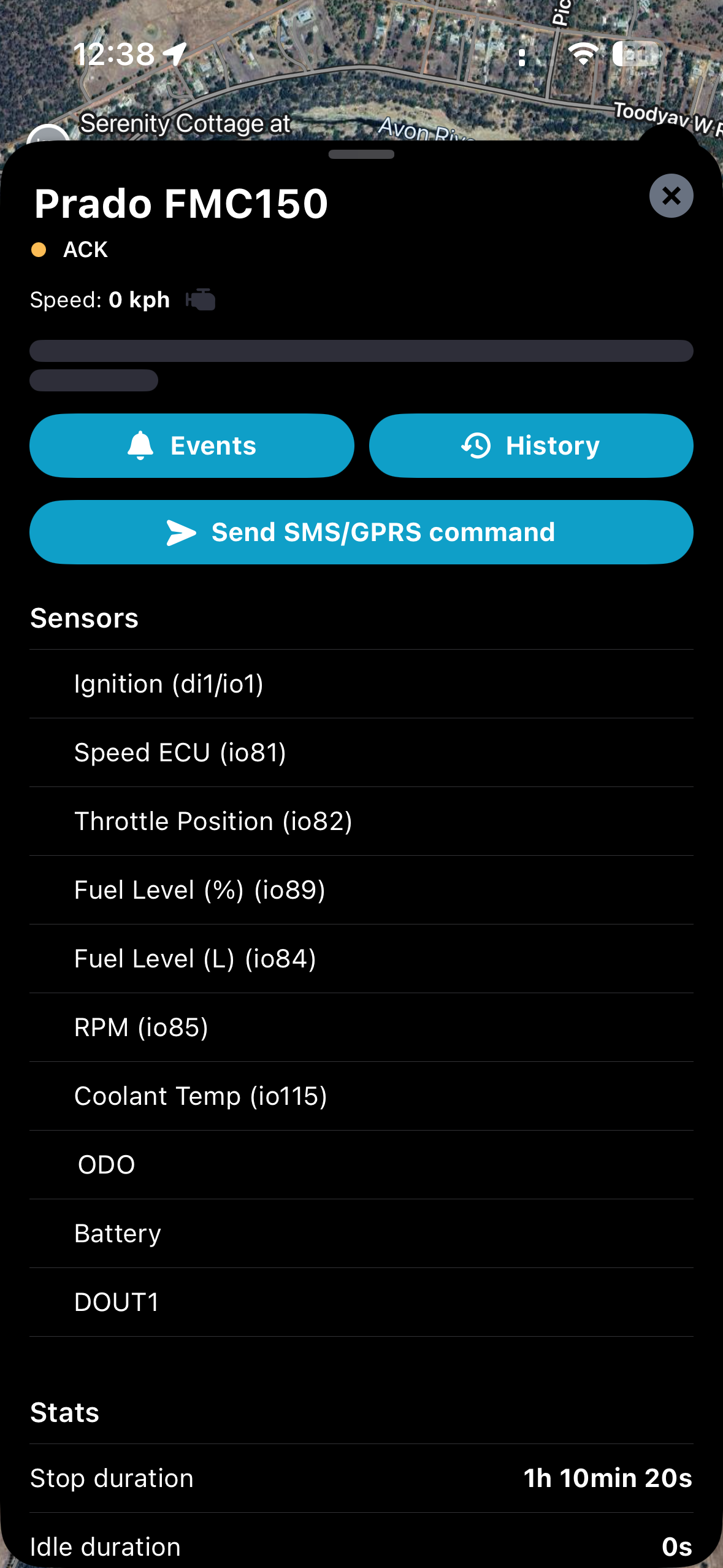
Select the object
Click Send SMS/GPRS Command
Choose command method - SMS or GPRS
Select command template
Click Send